Arda Erzin

AR Home Remote

iOS · 2026

The room is the remote.

A point & shoot HomeKit remote for iPhone, on ARKit and Core ML.

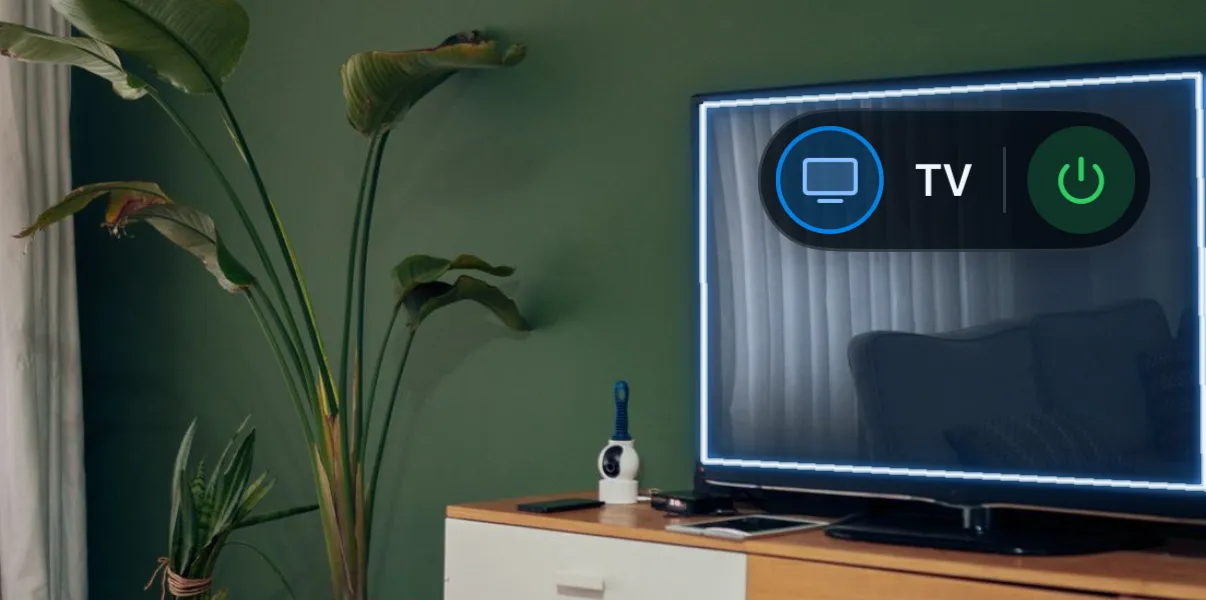
A living room television outlined in a bright blue rim with a soft bloom around it, a floating pill above it reading TV with a power button.
The app, close in: a pill anchored to the TV, and the edge glow a tap leaves on it.

What it is

AR Home Remote is a point & shoot HomeKit remote. Raise the phone toward the TV and a small pill floats on it, name and power toggle; open it for the full set: power, volume, inputs, a D-pad. Same for the AC and the lamp. You find a device by looking at it.

It’s a personal project, built with Claude Code, running on-device on an iPhone 14 Pro. It isn’t on the App Store and there’s no public repository yet.

The idea

Every smart-home app I’ve used buries a lamp behind three taps and a scrolling list of accessories with names I chose eighteen months ago and no longer recognise. The physical layout of a room is a better index than any of those lists: the lamp is the thing on the table, the TV is the thing on the wall. The app asks you to point.

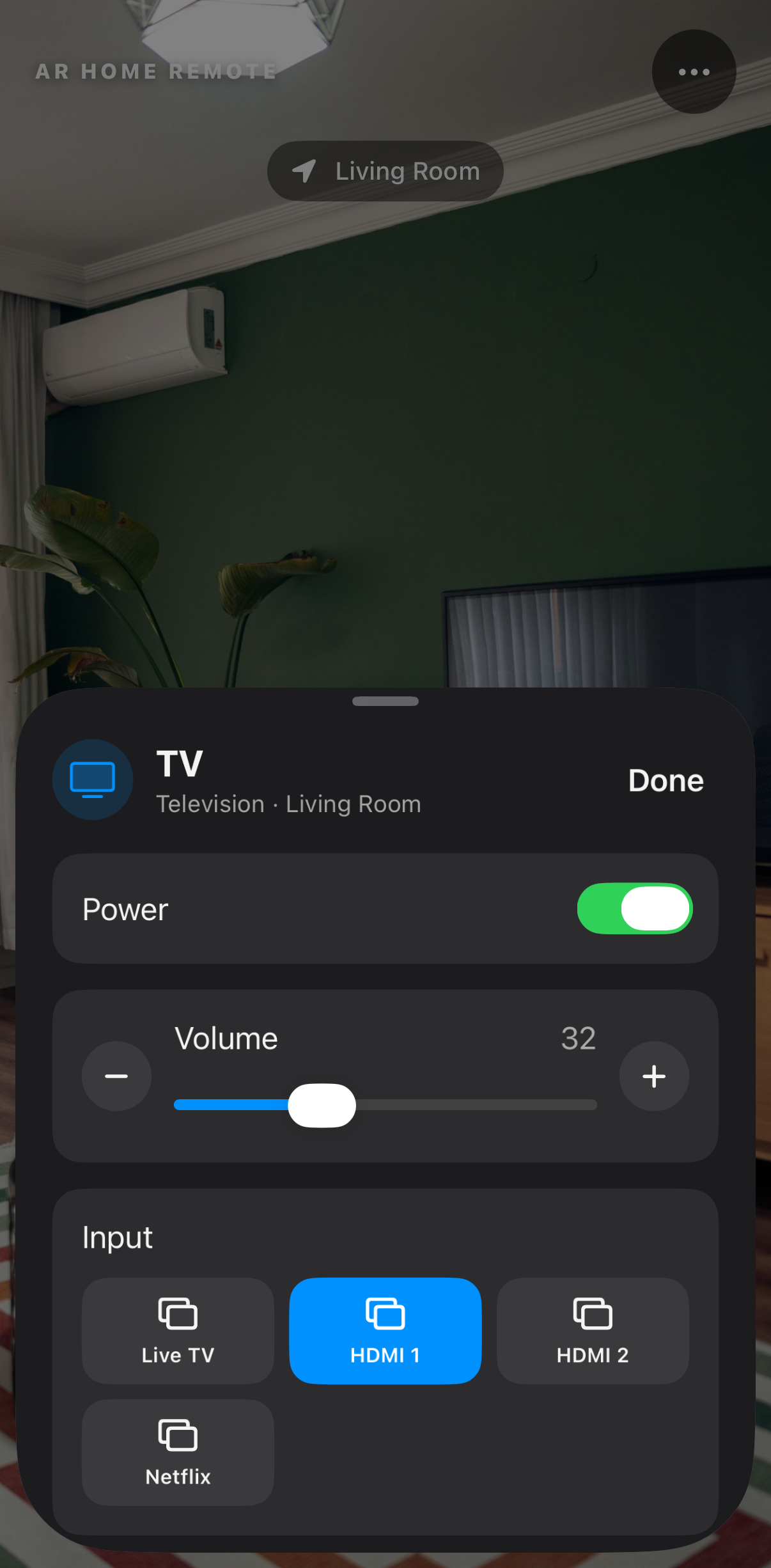
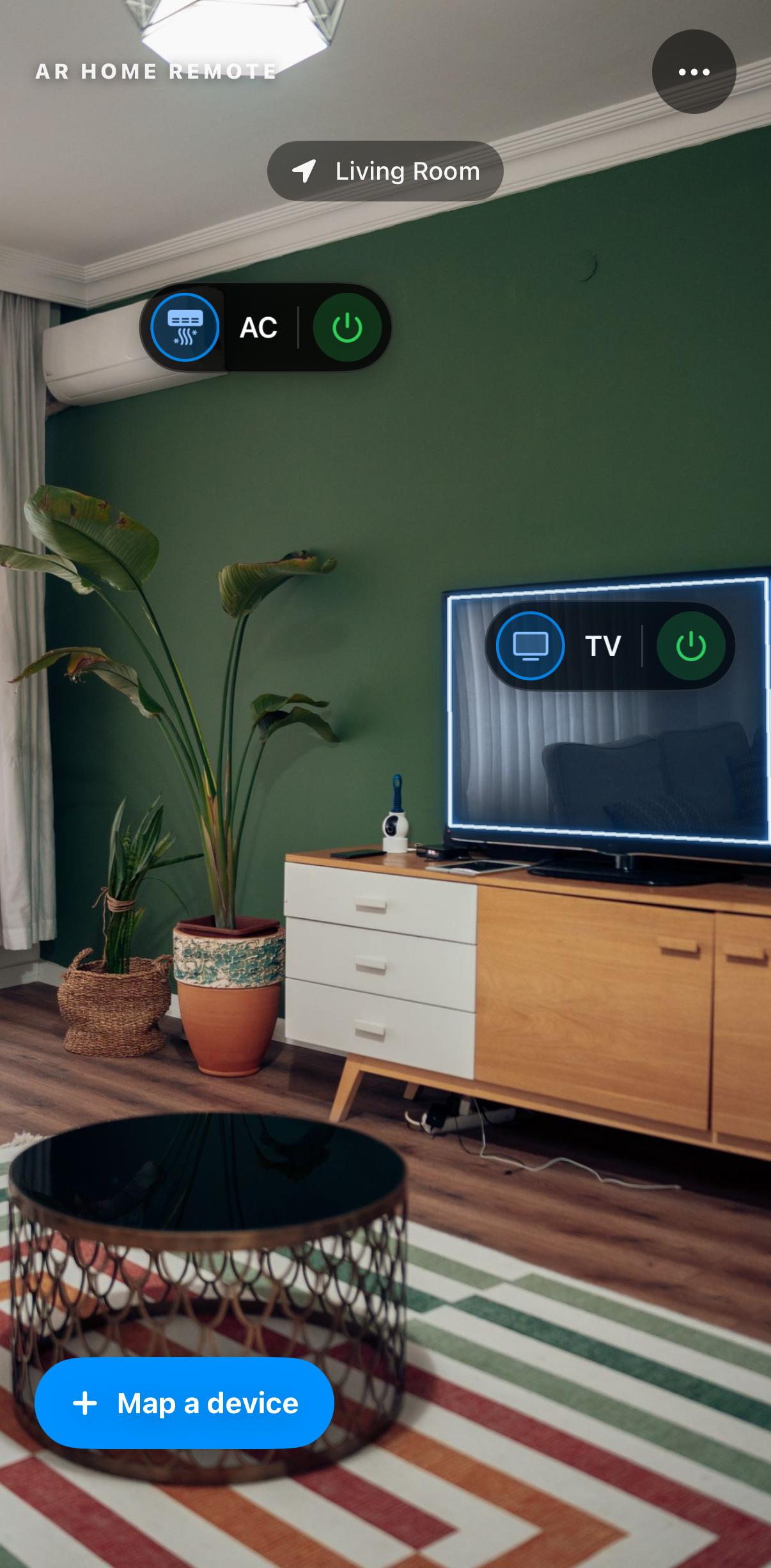
The ready state: the living room through the camera, a pill on the AC, a pill on the TV wearing the edge glow, a Living Room chip at the top and a Map a device button at the bottom.The TV control sheet risen to half height over the same room — power on, volume at 32, the input row — with the camera view still live above it.
Point, then tap: the ready state, and the sheet the TV’s pill opens at half height, the room still in view above it. A plain list reaches the same sheet when a room won’t relocalize.

Mapping

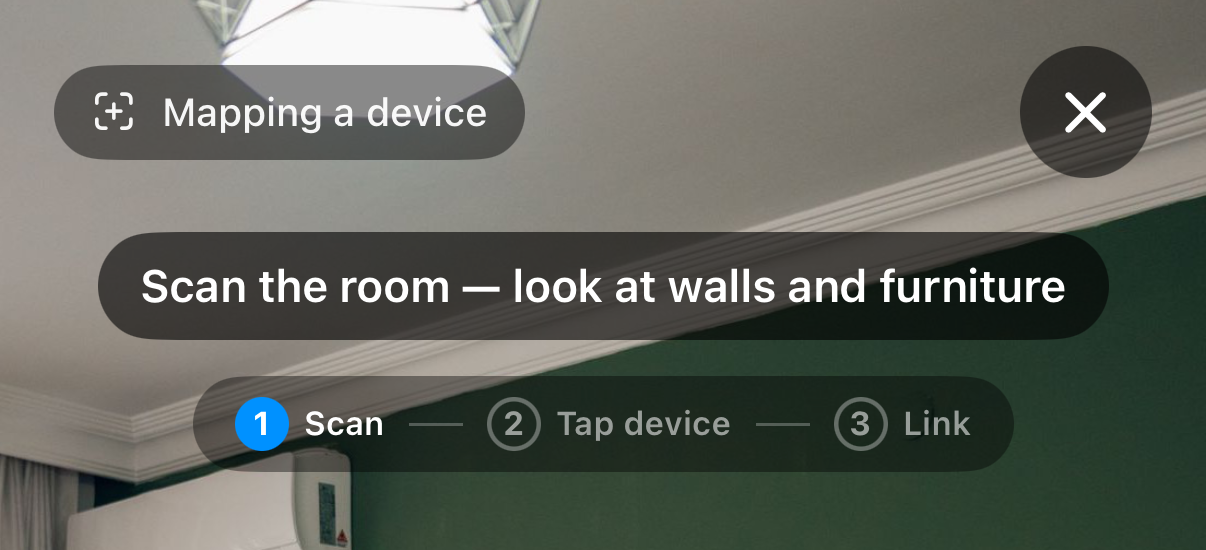
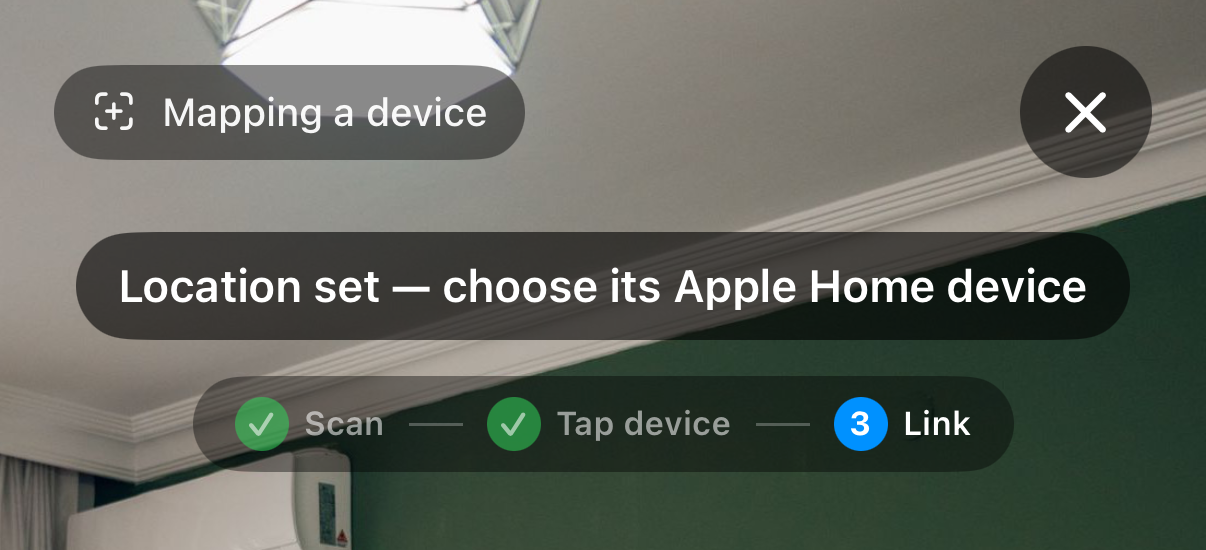
You map a device once, in three steps: scan the room while ARKit builds a world map, tap the device where it sits, link it to its Apple Home accessory. The step rail stays on screen so you always know which of the three you’re in.

Mapping runs as a mode of the same ARSession the remote view already holds, so entering and leaving it never blanks the image or drops the world you just built.

The mapping HUD at step one: a Mapping a device chip, the prompt Scan the room — look at walls and furniture, and a step rail of Scan, Tap device, Link with Scan active.The mapping HUD at step three: Scan and Tap device ticked off, Link active, and the prompt Location set — choose its Apple Home device.
The HUD at step one and step three of the same session. Only the overlay changes: the prompt and the step rail. The camera image carries straight through.

Recognition

On launch the app sweeps its saved room maps and tries to relocalize against each one, about fifteen seconds a room, and it keeps trying after that. When it matches, the app stays quiet: you walk into the living room, raise the phone, and the pill is already sitting on the TV.

When it doesn’t match, you get one card instead of an error, offering the three things you’d want at that moment: the plain device list, try again, or map this room. Relocalization keeps running underneath it, so walking further into the room recovers on its own.

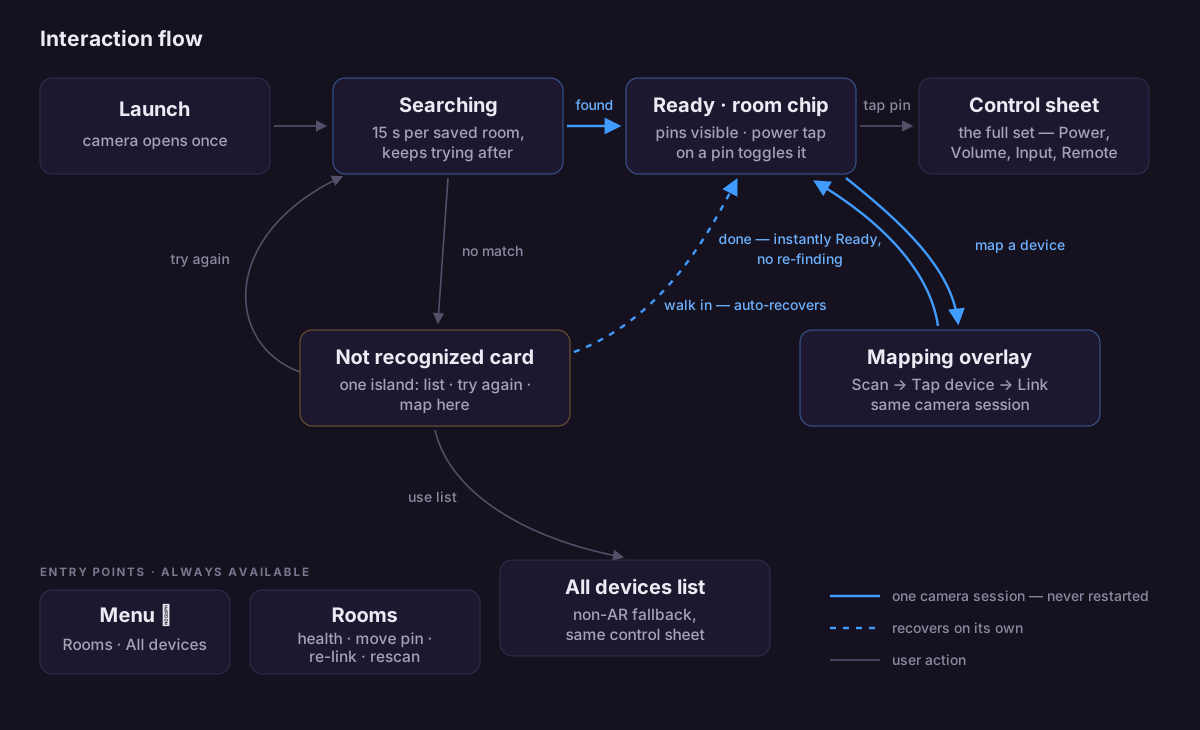
Interaction flow diagram: launch, searching, ready and the control sheet across the top; the not-recognised card and mapping overlay in the middle; the all-devices list and standing entry points below — with a blue path marking the single continuous camera session.
The whole interaction. The blue path is the one camera session; the app re-points it and never restarts it. Open it full size to zoom in.

The glow

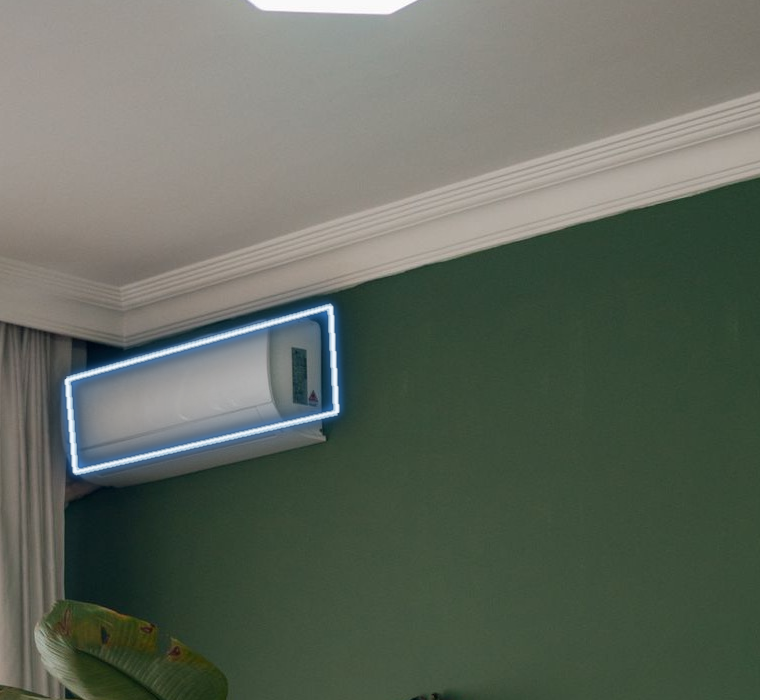
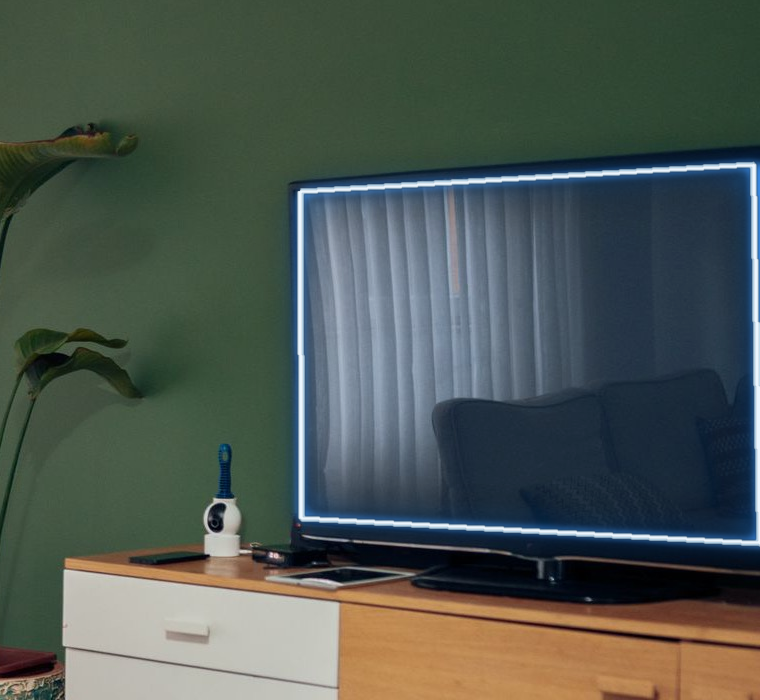
Pins were the v1 compromise. I wanted the object itself to respond: tap the AC and it lights up, a thin rim and a soft bloom, as though the room’s interface knew the shape of its own furniture.

V2 does that. The app turns a tap into a point prompt for EdgeTAM, Meta’s on-device SAM 2 variant, which I exported from PyTorch into three Core ML models totalling around 21 MB. The decoder returns three mask hypotheses at different granularities: subpart, object, context. The app picks by predicted IoU among the candidates that contain the tapped point, so a tap on a painting selects the painting rather than the wall behind it.

Segmentation runs per tap; between taps the glow rides the AR anchor. Nothing leaves the phone.

A photograph of the room's wall-mounted air conditioner wrapped in a crisp blue neon edge.The room's television wrapped in the same crisp blue neon edge.
The edge treatment on two objects of different shape, a wall unit and a screen. Authored mockups of the target look.

Engineering

The fp16 lie
The exported models declare fp16 outputs. Core ML hands back fp32 at runtime. Reading the bytes as declared produced spatially-correlated garbage: blobby smudges that read as a bad model rather than a bad cast, which made it expensive. I root-caused it by dumping the candidate mask tables and fixed it by branching on the dtype Core ML returns.
A harness that compiles the shipping source
Tools/edgetam-harness.swift builds the app’s real provider and renderer files into a macOS command-line tool, runs them over photographs and writes composited PNGs. I look at a segmentation or glow change on a Mac, against fixed inputs, before it reaches the device.
Screen-space glow
The renderer transforms the 256² mask into view coordinates before any Core Image filtering, so blur radii are screen sizes and the pipeline renders the same at any mask resolution. Every layer derives from the mask boundary (morphology gradient, gain, then the blooms), with a blur and re-threshold pass that turns a ragged model mask into a continuous outline.
Where each model runs
The image encoder runs wherever Core ML wants it, Neural Engine included. I pin the mask decoder to CPU and GPU, because the ANE compiler rejects its transposed convolutions.
One camera session
Remote, discovery and mapping are modes of a single ARSession. A mode switch never calls session.run with a reset, so the camera image never restarts or blanks; the overlay changes and the room stays where it was underneath.
Swift 6 strict concurrency
Throughout, with explicit ownership-transfer wrappers for the non-Sendable CoreVideo types that cross into the background segmentation tasks.
A fallback that isn’t a dead end
If the EdgeTAM models fail to load, the app falls back to Apple Vision’s foreground-instance segmentation behind the same provider protocol. Worse masks, same app.
Figures

  • 3 models · ~21 MBimage encoder, prompt encoder, mask decoder
  • 1024² → 256²model input, mask output
  • 0.1 – 0.16 sper mask on an M-series Mac
  • a few Hzon an iPhone 14 Pro, per tap

Notes

Segmentation is EdgeTAM by Meta, Apache 2.0. The model is theirs; the Core ML export and everything wrapped around it is mine.

The screenshots are the real app, captured in the simulator with a photograph standing in for the camera feed and a staged demo home behind it. Studios shoot App Store screenshots the same way. Live ARKit tracking needs a real room, so I’ll capture those next. Room photo: Pexels.

Personal project, on-device, V2 still in progress.